Sales Items
Sales items are the "Base units" of the Veloce system. Each item listed on the menu, each side dish, remarks or modifiers needs to have a corresponding sales item in Veloce.
Before you begin
Before creating Sales Items in Veloce, other elements need to be put in place:
- Price Levels (Optional)
- Modes (Optional)
- Taxes
- Big Divisions
- Divisions - Configuration
- Item Screens
The following instructions show how to create a basic sales item. Some of the available options will be discussed in more advanced topics.
-
Login to the Veloce Back-Office.

-
Start the Point of Sale Control module.

- Click on the Menu shortcut. (You can also use the Sales menu and select the Sales Items... option.)

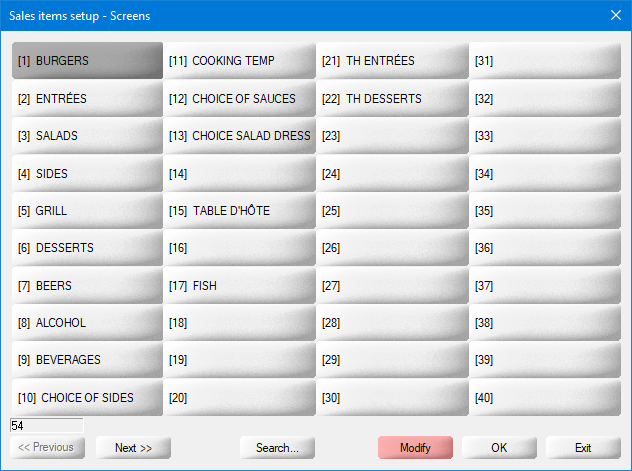
- The list of Item Screens appears. Click on the Item Screen to which an item will be added. For instance, to add a new item in the SALADS Item Screen, click on the SALADS button.
-
The list of items appears. To add a new item, click an empty placeholder.

-
The blank Sales Item properties open on the Configuration tab:

Please go through each of the following topics to learn more about all the options contained in each tab of the sales items setup:
Related Topics
- Sales Item Setup - Configuration
- Sales Item Setup - Ordering Options
- Sales Item Setup - Links
- Sales Item Setup - Options
- Sales Item Setup - Availability - Schedule
- Sales Item Setup - Delivery
- Sales Item Setup - Preparation
- Sales Item Setup - Variations
- Sales Item Setup - Included Items
- Sales Item Setup - POS Inventory
- Sales Item Setup - Bar Interface
- Sales Item Setup - Recipe
- Sales Item Setup - Forced Modes
- Sales Item Setup - Taxes
